

Live Streaming Studio London Essentials in West London
Booking a professional studio in West London is more than reserving space — it’s about matching your creative ambitions to the right technical package, crew and workflow. This guide walks you through the top features to prioritise when you evaluate a studio for live streaming, podcasting, filming or multi-camera broadcasts. It uses concrete scenarios and step-by-step checks so you can compare options quickly and confidently.
Why the right studio matters for your production
Whether you’re a podcaster launching a live show, a brand running an interactive product demo, or a filmmaker streaming a panel, the studio you choose directly affects reliability, audience experience, and post-production effort. A well-equipped live streaming studio London will reduce on-day stress, cut technical delays, and let your talent focus on performance.
green screen studio hire and background options
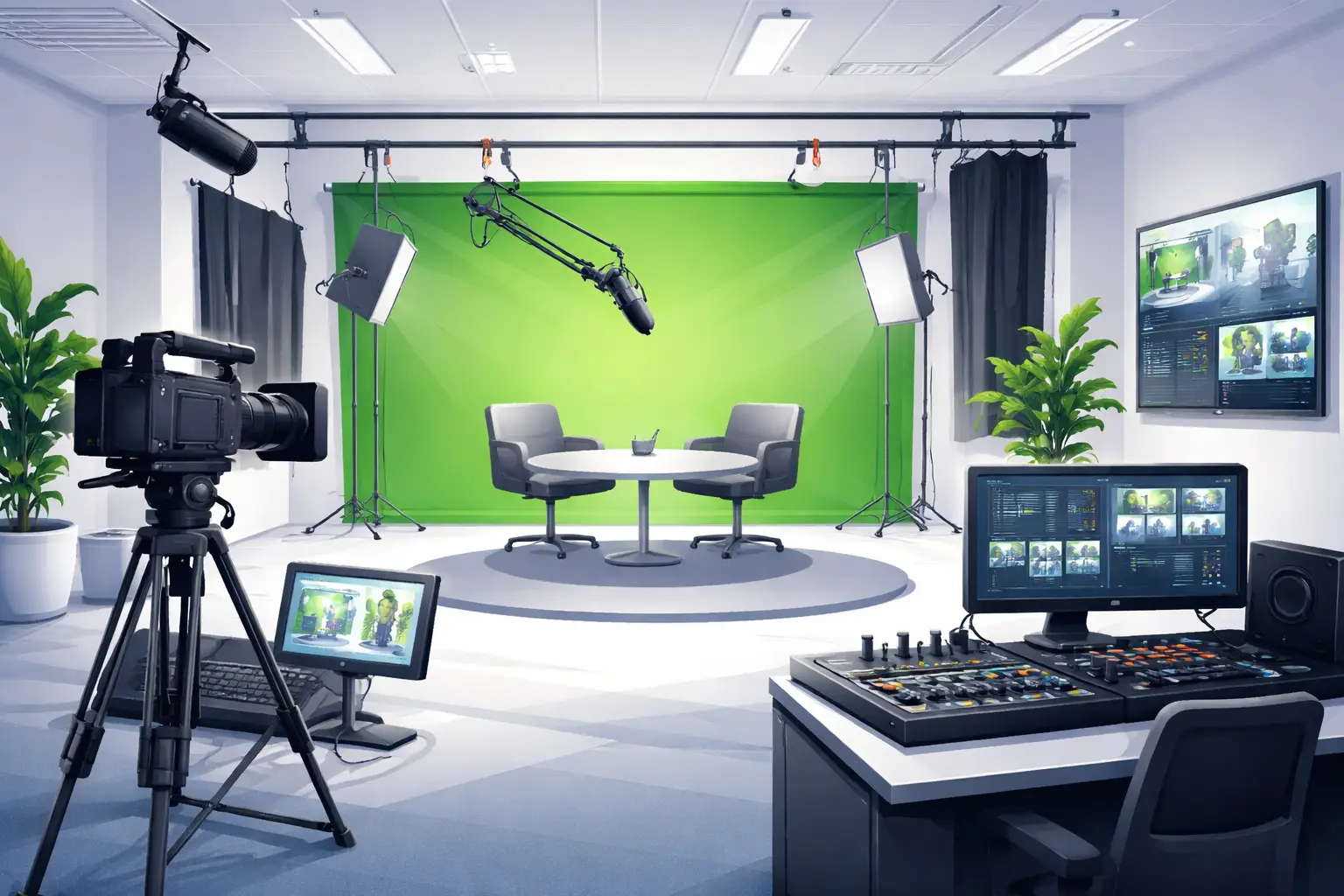
Many productions rely on compositing or branded backgrounds. When you search for green screen studio hire, confirm the size, lighting grid, and masking capabilities. A small painted wall won’t suit multi-camera virtual sets, but a full cyc with overhead evenly spaced lights will.
- Check the usable green area in metres (or feet) and whether ceilings are high enough for boom lighting and camera movement.
- Ask about additional backgrounds: chroma green, cyc white, fabric backdrops, and portable branded panels.
- Confirm paint quality and any maintenance schedule — uneven greens become a compositing headache.
Core technical features to verify
These items form the backbone of repeatable live production:
- Multi-camera support and switching: confirm how many live camera feeds can be handled simultaneously and whether switching is performed in-studio or by a remote operator.
- Broadcast-grade audio: look for professional consoles, isolated mic channels, and support for RØDECaster Pro II studio workflows if you use that hardware.
- Encoding and stream transport: studios should provide reliable encoders, backup streams, and compatibility with platforms you use (YouTube Live, Vimeo, etc.).
- Lighting grid and control: soft, key, fill and backlight options plus DMX control for repeatable lighting scenes.
- On-site technical support: a technician who knows the studio gear reduces setup time and troubleshooting during a live event.
Connectivity and redundancy
Live streams demand stable upstream bandwidth. Ask for demonstrable upload capacity, the presence of wired Ethernet, and redundancy plans (secondary ISP or cellular bonding). For mission-critical broadcasts, a studio that offers bonded cellular or a hardware fallback will be far more resilient than one relying on a single consumer line.
Space layout and production flow
Consider how the physical layout supports your workflow. A multi-camera podcast or panel benefits from a central stage with clear camera positions, a technician area with line-of-sight to talent, and a separate green room. If you need quick scene changes, a studio with adjacent hold/green rooms and easy access to equipment storage will accelerate turnaround.
Equipment inventory and compatibility
Get a written inventory: cameras, lenses, switchers, encoders, mics, headphone feeds, intercoms, patch bays and stands. If your production depends on specific gear, confirm compatibility — for example, LUTs for cameras, sync signals for timecode, or whether the studio supports external hardware like a RØDECaster Pro II studio setup.
Comfort, accessibility and logistics
Production comfort impacts performance. Check for:
- Green rooms with comfortable seating and refreshments
- Easy load-in with parking or a dedicated loading bay
- Accessible public transport options for guests
- Clear schedules for noise-sensitive nearby tenants (important for on-site recording quality)
live streaming studio London operations and crew
Your booking should clarify what the base rate includes: facility only (dry hire) or staffed sessions with an engineer, camera operators, or a producer. If you need deliverables like multi-track audio or ISO camera recordings, confirm those are part of the service or available for an add-on. Studios that provide production templates or runbooks for commonly requested formats will shorten prep time.
Production examples and recommended setups
Three short scenarios illustrate practical choices:
- Multi-camera podcast with live audience: prioritise a stable multi-camera switcher, broadcast audio mixer, audience risers or seating sightlines, and an FOH tech desk.
- Brand product launch: choose a studio with a clean cyc, configurable lighting, and encoder redundancy to safeguard high-visibility streams.
- Panel discussion streamed internationally: ensure ISO camera recording for editing, clear IFB/comms for remote guests, and reliable timing cues for international feed handover.
broadcast studio London quality checks before you book
Before signing, perform or request these on-site checks to validate performance:
- Run a 15–30 minute test stream to your chosen platform while the technician monitors CPU, upload and encoder stability.
- Check audio latency and headphone mixes for on-air talent.
- Confirm camera colour balance across all camera models and test any virtual set or chroma composite you will use.
- Verify record paths for ISO files, broadcast mix and clean feeds.
TV studio hire London considerations for broadcasters
Broadcasters often need schedule guarantees, play-to-air capabilities and regulatory compliance. If you plan to deliver to a broadcast chain, confirm the studio’s routing options, genlock/sync availability, and any regulatory practices they follow for uplinks or broadcast distribution.
film studio hire London when production scales up
If your project extends beyond a single live session — for example, a filmed series that will also run live segments — choose a site that supports both live and film workflows. That includes grip equipment, set build capabilities, and a production office for dailies and editorial.
studio hire West London — why location matters
West London offers transport links and proximity to Heathrow for guest travel. When you search for studio hire West London, factor in crew availability, local accommodation, and parking for load-in. Studios offering free or dedicated parking can save time and reduce logistics costs for large shoots.
Pricing models and what they include
Studios commonly offer dry hire (space only) and fully staffed hire (space plus crew/equipment). When comparing rates, list what’s included: hours, crew headcount, walk-through time, rehearsals, tech support during stream, and post-session file delivery. That long-form comparison will reveal true value beyond the headline hourly rate.
Podcasts and related services
If you’re booking for audio-first productions, check for a professional podcast studio London setup: treated rooms, mic inventory, multiple headphone mixes, and local post-production partners. An affordable podcast studio London might suffice for solo shows, but multi-guest live streams need the extra patching and monitoring a pro studio offers. If location matters, look for podcast studio near Heathrow or podcast studio Greenford options to ease guest logistics.
Booking checklist and day-of run sheet
Ask the studio for a sample run sheet and confirm the timeline for setup, rehearsal, technical checks, live time, and pack-down. A clear run sheet aligned with the studio’s tech will reduce overruns and ensure all deliverables are captured.
Diagnosis and Action Checklist
- What is uncertain: Upstream bandwidth reliability, redundancy options, exact equipment compatibility, and whether staff support is included or charged separately.
- Search in the studio’s official materials for these keywords/sections: “upload speed”, “redundancy”, “encoder”, “ISO recording”, “crew hours”, “equipment list”, “DMX/lighting grid”, and “green screen dimensions”.
- Data to collect / tests to run:
- Request a written equipment list and crew inclusions; save the PDF or email.
- Schedule a test stream: run a 15–30 minute test to your platform and record the stream; note upload Mbps and any dropped frames.
- Perform an audio loop test with each mic and confirm clean headphone mixes for talent; record a short ISO audio file for quality verification.
- Ask for photos and measurements of backgrounds and studio dimensions; validate ceiling height and green screen width in metres or feet.
- How to distinguish scenarios:
- If the test stream shows stable upload with no dropped frames and encoder logs are clean, the studio’s network is suitable for single-link live events.
- If there are intermittent drops, confirm whether the studio offers cellular bonding or a secondary ISP; if not, consider a studio with redundancy or bring an independent bonded encoder.
- If audio tests reveal bleed, request additional isolation or a different room; if the studio cannot provide it, plan for post-production fixes or choose an alternate venue.
- If equipment lists lack necessary items (switcher inputs, backup recorders, or compatible camera connections), negotiate their inclusion in writing or bring rental gear.
- Official sources to verify with: studio equipment lists, written SLA or booking agreement, speed test results (screenshot plus timestamp), and recorded test files provided by the studio.
Where to get more verification
For technical best practice references and guidance on broadcasting standards, consult recognised authorities such as Ofcom at ofcom.org.uk. For practical booking examples and local options around West London, review nearby studio case studies and the studio’s production support pages.
Next steps and booking tips
1) Create a short brief listing your technical must-haves and deliverables. 2) Request a staffed test day and a written equipment inventory. 3) Compare at least two studios against the checklist in this article. 4) When you’re ready, book a tour and rehearsal slot to validate the live flow.
If you want a hands-on walkthrough of a West London facility that checks these boxes, consider touring Ravenor Farm Studios to see multi-camera podcast and live streaming setups, green screen options and event-friendly production support. For related reading, you may find practical tips in our posts on Creative Production Spaces with Live Streaming in West London and West London Studio with Free Parking and Production Support.
Book a tour, run your test stream, and use the checklist above to confirm the studio will deliver the live experience you need.