Podcast Recording Studio with RØDECaster in West London
If you want to bring a creative project—whether a conversation-driven series, a filmed interview, or a live-streamed panel—to a professional finish, hiring the right studio in West London removes technical friction and raises production value. This guide explains how to plan your session at a local media hub, what to expect from the kit and crew, and practical steps to convert a booking into a polished episode or live event.
Why choose a podcast recording studio
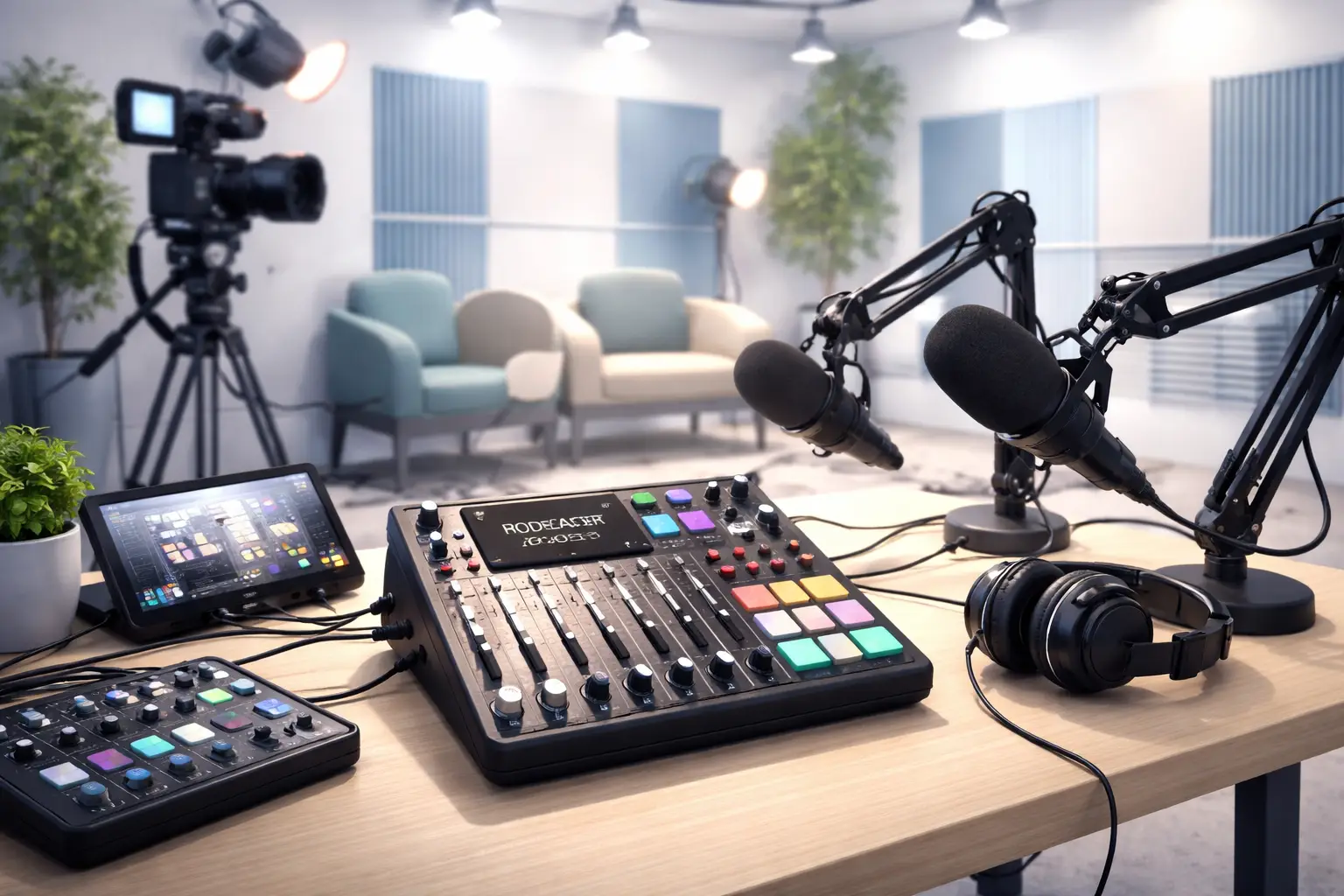
Choosing a dedicated podcast recording studio gives you three immediate advantages: acoustic control, reliable kit, and experienced operators. At Ravenor Farm Studios you’ll find soundproof podcast studio spaces that isolate voices, a RØDECaster Pro II studio setup for fast high-quality mixes, and options for a multi camera podcast studio rig to capture dynamic video angles for social clips and long-form uploads.
Typical booking scenarios and outcomes
- Solo host episode — fast turnaround: one room, RØDECaster Pro II studio for clean voice processing, single camera for video podcast recording.
- Interview with remote guest — hybrid setup: in-studio host, guest via high-quality return feed, podcast studio with engineer to manage latency and levels.
- Panel or live audience recording — event configuration: The Barn as a venue, multitrack capture, multi camera podcast studio for streaming and live cut podcast studio edits in real time.
What to expect from kit and crew
When you book, confirm whether the session includes an engineer or you’ll be self-operating. A podcast studio with engineer will handle mic placement, gain staging, live mixing, and deliver multitrack files ready for post. If you plan video podcast recording, check camera count and framing options; a multi camera podcast studio will let you switch angles or generate an archive of isolated feeds for editing.
Ravenor Farm Studios equips sessions around industry-standard tools. If your workflow needs a dedicated board, ask for the RØDECaster Pro II studio configuration; for live shows request a live cut podcast studio workflow so a skilled operator can produce program cuts on the fly while recording separate stems for post-production.
Pre-production checklist for your session
- Define the deliverables: audio-only episode, long-form video, short social edits, or a streamed live event.
- Choose the right room: soundproof podcast studio for intimate dialogue, The Barn for audience or cross-crew needs.
- Confirm crew and tech: do you require a podcast studio with engineer, camera operators, or a director for live cut podcast studio output?
- Send a run sheet to the studio: segment timings, host/guest list, any remote connections, wardrobe/prop notes.
- Book additional time for setup, mic checks, and a rehearsal to avoid rushing the session.
On the day workflow for a smooth session
Arrive early, meet your engineer, and run these practical steps:
- Soundcheck: read a representative passage and listen back to confirm tonal balance and de-essing levels on the RØDECaster Pro II studio monitoring.
- Camera blocking: for video podcast recording, rehearse entrances, eye-lines, and marker positions if you’ll cut live.
- Streaming tests: if you stream, verify upload bandwidth and run a private stream to confirm remote feeds and latency.
- Record redundantly: record separate tracks for each mic and a safety stereo mix; request a clean feed for any guest calling in.
- Wrap checklist: catalogue recorded files, label takes, and agree a delivery timeline with the studio.
Post-production and delivery options
After the session, a podcast studio with engineer can produce raw edits, stem mixes, and mastered audio, or hand you the multitrack files for your editor. If you used a live cut podcast studio workflow, you should receive a program edit plus isolated tracks for fine edits. For video podcast recording, expect synchronized camera files and a livestream archive if applicable.
If you want to learn more about equipment like the RØDECaster Pro II or recommended microphones, visit the manufacturer’s site for specifications and workflows https://rode.com.
Pricing choices and booking strategies
Studios commonly offer hourly, half-day, and full-day rates plus optional engineer hours. To make the most of a booking: consolidate interviews into a single studio day, use in-studio pre-production to shorten on-the-day setup, and ask if the venue provides a producer or assistant to keep the session on schedule.
For creators near Heathrow, Ravenor Farm Studios’ location and free parking make equipment transfers and guest access easier—see venue details and location amenities when you enquire. For venue features and parking options consider reading our venue overview Venue hire West London near Heathrow with free parking.
Real booking example
Scenario: a UK tech brand wants a three-episode mini-series, each recorded with two hosts and one guest, plus short video clips for socials.
Step-by-step plan you can adopt:
- Book three half-days in a soundproof podcast studio and reserve a RØDECaster Pro II studio configuration for consistent tonal character across episodes.
- Request a podcast studio with engineer for mic prep, on-day editing, and deliverables management.
- Schedule a camera package with a multi camera podcast studio setup to capture host-guest reaction shots and cutaways.
- Use a live cut podcast studio workflow for the first episode to produce a share-ready cut on the day, then refine masters from multitrack stems.
- Collect B-roll and short social clips immediately after the session for efficient post timelines.
For examples of similar setups and technical support at Ravenor Farm Studios, review our technical support page Podcast Studio in West London with Technical Support.
Diagnosis and Action Checklist
This checklist helps resolve common uncertainties before you commit to a studio booking.
- Uncertain item: Exact equipment and configuration available for your session (e.g., RØDECaster Pro II studio, number of cameras).
- Where to look in official sources: Search the studio’s equipment inventory or technical rider page for keywords like “RØDECaster”, “camera package”, “multicam”, “engineer”, “soundproof”. Use the studio’s official booking terms for included crew and rental boundaries.
- Data to collect / tests to run:
- Request a written equipment list and photos of the room; note serial or model names for critical gear.
- Ask for sample recordings (raw and post-processed) from the exact room and setup you intend to use.
- Confirm engineer hours and deliverable formats (multitrack WAV, program MP3, ProRes for video).
- For streaming, run an upload test from the studio location using the exact streaming service and a private stream test to check latency and stability.
- If accessibility or parking matters, request photos and a map of access routes and parking spaces.
- How to decide between scenarios:
- If you need hands-on help mixing and routing during the session, select a booking that explicitly states a podcast studio with engineer is included.
- If on-the-day program delivery is required, prioritise studios that offer a live cut podcast studio workflow and can show proof of same-day edits.
- If highest audio fidelity and multitrack stems for complex post-production are essential, confirm that each mic is recorded to separate outputs and request sample multitrack files.
- If budget constraints limit engineer time, negotiate a hybrid: engineer for setup and test, then self-operate with the studio on call for support.
Final tips to maximize value
- Plan content tightly to reduce studio hours: scripts, segment running orders, and pre-interview notes save time.
- Use the RØDECaster Pro II studio for efficient voice processing and quick headphone mixes for multiple guests.
- Book a multi camera podcast studio when you want repurposeable assets: social-ready clips, different framing, and a polished long-form episode.
- When live streaming, request bandwidth testing and a failover plan; engineers familiar with live cut podcast studio setups can deliver a clean program feed plus backups.
- Keep a checklist of required deliverables and filename conventions to accelerate post-production handoff.
If you’re ready to tour a space, ask for a walk-through, inspect the mic locker and camera list, and bring a short test script so you can hear the room before you book. When you plan with clarity—deliverable list, required crew, and equipment needs—you get the most from a professional studio hire in West London and turn ideas into polished creative outputs.