
Studio hire West London podcast features for creators
Booking a studio is about more than square metres and a desk. For podcasters and creators in West London, the right mix of acoustics, hardware, workflow and on-site support turns a good recording into a show-ready episode. This guide explains the practical features Ravenor Farm Studios and similar creative media spaces should offer, with scenario-driven advice you can use when touring studios or preparing a booking.
Why features matter for your podcast workflow
A studio that anticipates real production needs saves time, improves sound quality, and increases chances your episode will be publish-ready on the day. Consider three use cases that demand different features:
- Solo interview with remote guest: clear local voice capture, dedicated headphone mixes, and reliable remote-integration tools.
- Roundtable panel with four speakers: separate mic chains, isolated headphone mixes, and furniture that supports natural conversation.
- Live video podcast streamed to an audience: multi-camera capture, live switching, encoding and a robust uplink.
professional podcast studio London essentials
When evaluating a space, check for these baseline features. Each item below is written as a practical test or observable quality so you can judge a studio on a tour or call.
Acoustic environment and treatment
Look for rooms with measured acoustic treatment rather than bare reflections. Ask to listen to a short test recording in the room: a spoken-word takeback will reveal unwanted reverb, flutter echoes or HVAC noise. Acceptable rooms balance absorption and diffusion so voices remain natural without sounding dead.
Microphones, preamps and a reliable console
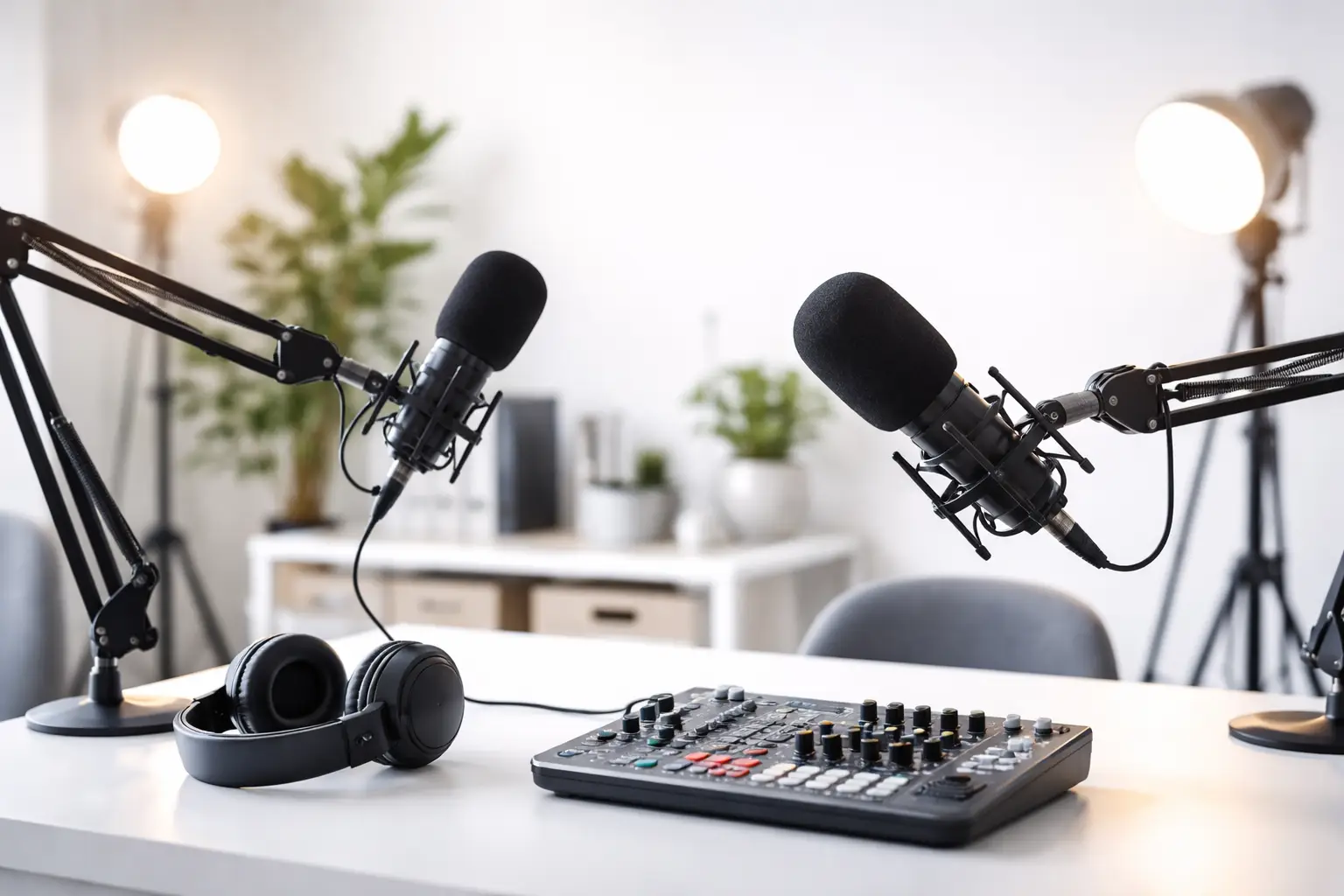
A professional podcast benefits from dynamic and condenser mics with clean preamps. Confirm the studio inventory supports at least one spare mic and that preamps can be adjusted independently. If you expect to record music or rich tonal voices, test both mic types during your visit.
Headphones and monitoring
Quality closed-back headphones for each participant and a separate monitor for the engineer/producer are non-negotiable. Ask to hear a headphone mix and check latency when sending remote guests their cues.
On-site technical support and workflow
Having a knowledgeable engineer who can handle levels, file formats, and quick fixes transforms a stressful day into a smooth session. Confirm whether the studio offers a technician in the hire fee or whether support is an add-on.
Multi-camera and video-ready setups
For creators wanting a multi-camera podcast or a live cut podcast studio experience, look for rigs that include camera tripod mounts, clean HDMI/SDI outputs, and a switcher or vision mixer. Confirm the studio supports frame-accurate timecode or clapper syncing if you record separate audio and video.
Reliable connectivity for remote guests and streaming
If you plan to use the room as a live streaming studio London or to integrate remote guests, verify the studio’s internet uplink, encoder/hardware settings, and whether they provide a dedicated network for streaming. Ask to inspect the router and confirm whether wired ethernet is available at the console.
Essential features for video and broadcast workflows
If your project also needs TV or film-grade resources, check these items and use them to decide between spaces offering broader services:
- Committed power distribution and labeled circuits for lighting and camera loads.
- On-site grip and lighting kits that include softboxes, LED panels, and practicals.
- Blackout blinds, green screen space and adjustable cyclorama for hybrid shoots.
- Easy access for load-in and vehicle parking near the studio if you bring equipment.
These aspects overlap with what productions expect from a broadcast studio London or TV studio hire London; a studio that services those markets tends to have the infrastructure to support higher-demand podcast shoots as well.
Equipment checklist to ask about during a tour
- Console/DAC model, and whether multi-track recording to DAW is supported.
- List of microphones and preamps, plus spare mic availability.
- Headphone amplifier with independent mixes.
- Camera count, switcher model, and recording media options for multi camera podcast studio setups.
- Streaming encoder (hardware or software), and whether the studio manages the stream or provides single-point control for you.
- Backup power or UPS for critical equipment during live streams.
How Ravenor Farm Studios supports creators
At Ravenor Farm Studios you can expect a production-focused approach aimed at podcasters, filmmakers and creatives who want flexible, affordable studio hire West London. The Barn venue and media hub model blends dedicated podcast rooms with spaces that scale to film and TV projects, making it straightforward to upgrade from a simple recording to a filmed live session.
For creators close to the airport, Ravenor Farm benefits those searching for a podcast studio near Heathrow and nearby Greenford communities, combining good access with on-site production support.
Technical features often requested at Ravenor include a RØDECaster Pro II studio integration for fast multi-mic workflows, multi-camera capture for polished video podcasts, and options to route program audio for live streaming or broadcast deliverables.
Scenario: booking a live-cut video podcast
- Confirm you have at least two camera angles and a vision switcher available.
- Request a rehearsal slot to check camera framing, lighting, and live audio mixes.
- Ask the studio to simulate a short live stream so you can confirm uplink reliability and encoding settings.
- Ensure the engineer can hand over final program files in your preferred format after recording.
If your goal is to reach broadcasters or produce higher-end content, prioritize studios advertising broadcast studio London or TV studio hire London capabilities—these facilities usually maintain tested workflows compatible with broadcast deliverables.
Practical tour questions and red flags
When you tour, bring a checklist and try to record short test takes yourself. Important questions and warning signs include:
- Can I record multi-track audio and access raw files immediately? If no, ask why and what formats are available.
- Do you provide a session engineer? If support is optional, check availability and hourly rates.
- Is there confirmed wired internet at the console and a dedicated streaming VLAN? If only Wi‑Fi is offered, test the connection with a short upload.
- Listen for HVAC or outside noise during a quiet time of day; continuous noise during tests is a red flag.
If you need examples of studios with similar offerings, you can review industry guidance at the Ofcom site for broadcast connectivity and licensing considerations: ofcom.org.uk.
Booking and day-of-production tips
Plan tasks to reduce friction on the day: pre-agree session length, file naming conventions, and delivery specs. Bring backups of any unique assets (jingles, sponsor spots) on USB and cloud. Schedule setup time before guests arrive to tune levels and headphone mixes so recording begins on time.
Ask the studio if the Barn-style spaces are available for b-roll, audience seating or workshops—this helps convert a podcast recording into a small live event or client-facing showcase.
Diagnosis and Action Checklist
- What is uncertain: Studio sound isolation level, internet uplink stability, exact equipment models and whether on-site support is included in the hire.
- What to search for in official sources: In the studio’s technical spec sheet or booking terms look for words/sections: “isolation”, “STC”, “wired ethernet”, “uplink”, “bandwidth”, “console model”, “multi-track”, “engineer included”, “technical support”.
- Data and tests to collect during a visit:
- Record a 30–60 second spoken test on the studio’s primary microphone and request the raw file to inspect for noise and reverb.
- Run an internet speed test from the console location (use a laptop plugged into the same ethernet port) and save/upload the results screenshot.
- Confirm take-in/out logistics by measuring door widths and noting parking or loading bay access for vehicles and equipment.
- List exact gear models present (console, mics, camera switcher) and photograph serial/model plates if allowed.
- How to decide between scenarios:
- If noise or reverb is audible in the test recording, request alternative rooms or confirm additional acoustic treatment is possible before booking.
- If internet upload is unstable (frequent drops or sub-5 Mbps upload for HD streaming), either book a studio with a dedicated uplink or plan to pre-record and upload later rather than live-stream.
- If a technician is not included and the session requires multi-camera switching or encoding, compare the cost of hiring a studio with an engineer vs. hiring an external freelance tech for the day.
Next steps and how to enquire
If you want to experience these features in person, book a tour or rehearsal slot to test the exact workflow you plan to use. For creators targeting broadcast-level deliverables, mention TV studio hire London or film studio hire London needs when enquiring so the studio can prepare suitable equipment and staff.
Related reading on our site: Podcast Recording Studio West London with Green Screen and video production studio London at The Barn West London.
Whether you need a compact vocal booth or a multi-camera production floor for a live-cut show, prioritise rooms that combine tested acoustic treatment, dependable connectivity, and knowledgeable technical support. Those elements make a studio truly fit for modern podcasting and give you time back to focus on content and guests.